10 Tips for Choosing Home Health Monitoring Devices

Choosing home health monitoring devices is not about buying the most advanced screen or collecting the most readings. It is about finding tools that fit a person’s health needs, daily habits, and home. A blood pressure cuff that is easy to use at the kitchen table may be more helpful than a complicated device left in its box. Small details matter: readable numbers, comfortable sensors, reliable battery life, and clear instructions.

Digital-health physician Dr. Joseph C. Kvedar’s work points to an important principle: technology should extend care beyond the clinic, not replace clinical judgment. That distinction matters. A wearable may show a change in heart rate, but a clinician can help explain what the reading means for a specific patient. Families should also consider who can view the data, how it is shared, and what happens when a device loses its connection. Useful tools, not perfect ones.

This guide introduces ten practical tips for comparing home health monitoring devices, from accuracy and ease of use to privacy, cost, and clinical support. It also encourages readers to check whether a device suits their condition and to discuss concerning readings with a qualified healthcare professional. A polished dashboard can feel reassuring, but it cannot answer every question. That is worth remembering. The right choice is usually the one a person can use consistently and understand with confidence.
10 Tips for Choosing Home Health Monitoring Devices

Understanding the Purpose of Home Health Monitoring

Home health monitoring devices are useful when they answer a clear question. A blood pressure monitor may help someone track readings between appointments. A thermometer can make it easier to notice whether a fever is rising. The purpose is not to collect numbers for their own sake. It is to spot patterns that may be worth discussing with a health professional.

Start by asking what needs monitoring, how often, and who will review the results. For example, a person tracking blood pressure might record readings at the same time each morning, while seated and rested. A single unusual number can reflect stress, movement, or an incorrectly placed cuff. Patterns matter more. Keep a simple written log, including symptoms and the time of each reading. Small details help.

A device cannot diagnose every problem. It can also produce misleading results if it is used incorrectly, and that possibility is easy to forget. Check the instructions, use the right size cuff or sensor, and ask a clinician how to interpret readings. Some measurements may create worry without changing care. That is worth reflecting on. Choose monitoring that fits a real health need, rather than adding another task to an already busy day.

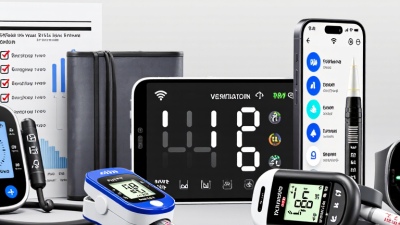
Assessing Accuracy, Reliability, and Clinical Validation

Accuracy is more than a reassuring number on a screen. Check whether the exact device model has been tested against an appropriate clinical reference, under conditions similar to home use. For a blood pressure monitor, that means checking cuff fit and positioning; for a thermometer, the measurement site matters. Look for published validation methods, not just claims that a device is “clinically tested.” Small details matter. Validation may not apply to every age group, health condition, or measurement setting. Ask a clinician whether the evidence fits your needs, especially if readings will inform treatment decisions.

Reliability shows up on ordinary days: Does the device give consistent readings when used correctly? Are error messages clear? Can you review stored results without relying on a strong internet connection? Check calibration guidance, battery life, and what happens if a reading seems unusual. Not just once. Repeated measurements can vary because of posture, movement, timing, or user technique, so a tidy app graph is not proof of accuracy. Keep a short log and compare patterns with readings taken in a clinical setting, when appropriate. No home monitor replaces professional assessment. Even good guidance leaves room for human error, and I would not treat one surprising result as the whole story.

Checking Ease of Use and Accessibility

Ease of use starts before a device is switched on. Check whether its screen is readable from a chair or bedside, and whether buttons are large enough for stiff or unsteady fingers. A bright display may help some people, but glare can make readings harder to see. Small details matter. Look for clear labels, simple menus, and instructions written in language the user understands.

Consider the everyday routine
Consider how the device fits into an ordinary morning. Can someone put on a sensor, position a cuff, or take a reading without help? If setup requires several small steps, ask to see a demonstration and try them yourself. A quick practice run can reveal confusing prompts or awkward grips. That can be frustrating. If more than one person will use the device, check whether each person can access their own readings without mixing them up.

Think beyond the screen
Accessibility also includes hearing, vision, memory, and internet access. Spoken prompts may help one user, while vibration or large text may suit another. Check whether alerts can be noticed without relying on sound alone. If the device sends readings to a phone or online account, make sure the user can manage those steps—or has reliable help. It is easy to assume a “simple” device will feel simple at home. That assumption deserves a second look.

Evaluating Device Compatibility and Data Sharing

Compatibility is more than whether a monitor connects to a phone. Check its operating-system requirements, wireless connection, and charging routine before bringing it home. A device that needs a newer phone or steady Wi-Fi may fail in a room with a weak signal. Test it at home. Record a sample reading and confirm that the app displays the right units, date, and time.

Data sharing deserves the same careful check. Find out whether readings can reach your care team, and whether they arrive automatically or need to be sent manually. Ask who can view them, how long they are stored, and how to revoke access. A useful chart can still mislead if timestamps shift or missing readings look like normal results. Check the device instructions, then ask a clinician how the measurements should be interpreted. Do not assume every platform accepts every file type. I used to think “connected” meant “shared”; that assumption was too simple. Try one real reading before relying on the setup, and note any steps that feel awkward. A little friction matters.

10 Tips for Choosing Home Health Monitoring Devices – Evaluating Device Compatibility and Data Sharing

Tip What to Check Why It Matters Question to Ask
1. Confirm phone and tablet compatibility Check the device app’s supported operating systems and minimum versions. Confirm that the app is available for the user’s phone or tablet. An otherwise suitable monitor may not sync with an older or unsupported mobile device. Does the app support the exact device and operating-system version I use?
2. Check the connection method Find out whether readings transfer by Bluetooth, Wi-Fi, a cellular connection, or manual entry, and whether a phone must be nearby. Connection requirements affect where the device can be used and whether readings transfer automatically. Will readings still upload if my phone is not nearby or the internet is unavailable?
3. Verify what data the device records Review the measurements recorded, units used, timestamps, and whether the device distinguishes individual users. Clear, correctly attributed readings are easier for users and care teams to interpret. Can I review a sample report and confirm how readings are labeled?
4. Ask about integration with care systems Check whether data can be sent to the clinician’s patient portal or health record, and whether the clinic accepts data from that device or service. Not every provider system accepts readings from every home-monitoring device or app. Does my care team receive readings automatically, or must I share them another way?
5. Look for practical export options Check whether readings can be downloaded, printed, or shared as a report, and whether the export includes dates and measurement units. A usable export can help when a clinician does not have direct access to the app. Can I get a copy of my readings in a format my clinician can review?
6. Review caregiver access controls Find out whether another person can view readings, what permissions are available, and how access can be changed or removed. Separate permissions can support caregiving while allowing the user to control who sees their information. Can I grant view-only access and revoke it whenever I choose?
7. Understand privacy and sharing settings Read the privacy notice and check what information is collected, who it may be shared with, and which sharing settings can be adjusted. The handling of health data varies by service and may depend on how the device or app is used. Who can access my data, and how do I change my sharing preferences?
8. Check security and account protection Look for information about secure data transmission and storage, account authentication, software updates, and how lost-device access is handled. Connected devices and accounts should be protected against unauthorized access. How are accounts protected, and how are security updates provided?
9. Test accessibility and ease of use Try the display, controls, app navigation, alerts, and instructions. Check for readable text, clear prompts, and support for the user’s accessibility needs. A device is more useful when the person who takes the readings can operate it consistently. Can I complete a typical reading and find its history without assistance?
10. Plan for service changes and data access Check what happens to stored readings if an account is closed, a subscription ends, the app changes, or the device is replaced. Knowing how to retain or retrieve historical readings can prevent avoidable gaps in records. Can I access or download my data if I stop using the service?

Note: Device features and data-sharing options vary. Confirm compatibility and sharing arrangements with the device provider and your care team before purchasing.

Reviewing Privacy, Support, and Long-Term Costs

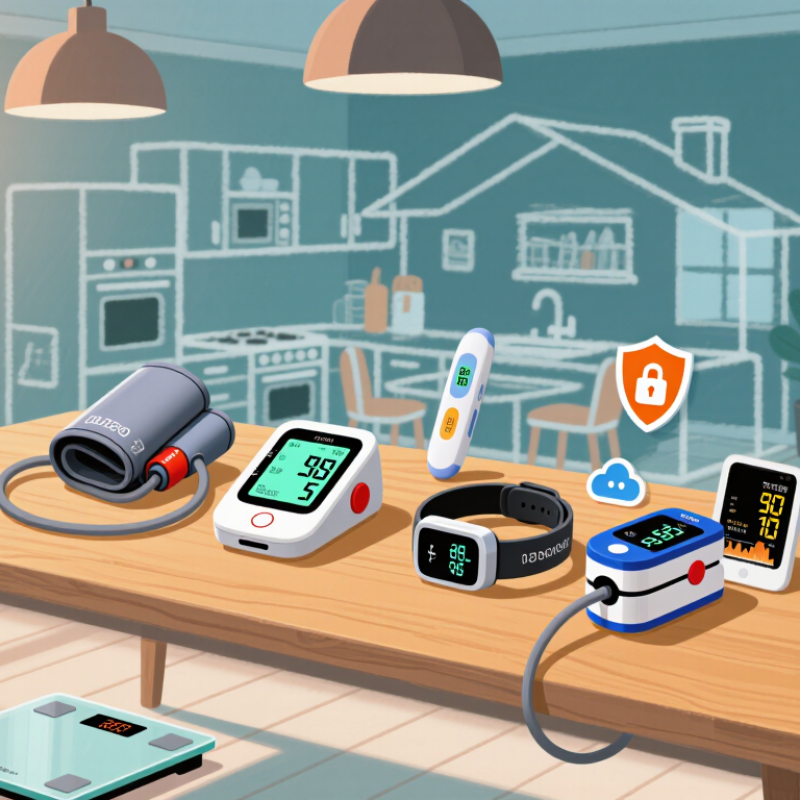
Home monitoring devices may record movement, vital signs, or daily routines, so privacy deserves a close look. Before choosing one, ask where information is stored and who can access it. Read the privacy policy for details about data sharing, retention, and deletion. Prefer devices with clear account controls and optional data sharing. That matters. If these details are hard to find, contact support before buying; a vague answer is worth noticing.

Support deserves the same attention as the device itself. Check service hours, setup help, repair options, and what happens if a sensor stops working. Then estimate the full cost over several years, including batteries, replacement parts, connectivity fees, and any paid services. A low purchase price can hide recurring expenses. It is tempting to assume a device will keep working without much effort, but batteries fade and household needs change. Write down expected costs and review them with the person who will use the monitor. Estimates can be imperfect, yet they are more useful than ignoring future costs.

10 Tips for Choosing Home Health Monitoring Devices

Compare common device types by their typical recurring-cost exposure. This is a practical planning scale, not a price estimate or a measured industry statistic.

Scale: 0 = no routine consumables; 1 = optional subscription or service; 2 = recurring consumables are commonly needed. Glucose-testing costs depend on prescribed testing frequency and coverage.

Before you buy: Check whether the device works without an app subscription, how readings are stored and shared, whether replacement supplies are easy to obtain, and what support is available after purchase. Confirm costs and coverage with your clinician or insurer.