10 Best Remote Monitoring Devices for Businesses?

A failed freezer alarm at 2 a.m. can spoil inventory before the morning shift begins. Remote monitoring devices help businesses track conditions such as temperature, equipment status, energy use, and location, often from a central dashboard. They can also send alerts when readings cross a set threshold. Useful, but not magic.

The opportunity is substantial. McKinsey Global Institute’s 2015 report, The Internet of Things: Mapping the Value Beyond the Hype, estimated that IoT applications could generate $3.9 trillion to $11.1 trillion in annual economic value by 2025. That figure was a forecast, not a measured result, and it covers IoT broadly—not remote monitoring devices alone. Still, it shows why businesses continue to assess connected equipment. IoT pioneer Kevin Ashton wrote, “The Internet of Things has the potential to change the world, just as the Internet did. Maybe even more so.” His observation speaks to the wider technology; the practical value depends on reliable sensors, secure connections, and useful alerts.

This guide compares 10 remote monitoring devices for businesses across common needs, including facilities, fleets, and sensitive inventory. We’ll consider setup, connectivity, integration, alert quality, and ongoing costs. A low purchase price may hide extra fees. And a dashboard full of data can still leave a team unsure what to do next. The right device should fit the work—not just the sales pitch.
10 Best Remote Monitoring Devices for Businesses?

What Remote Monitoring Devices Measure in Business Environments

Remote monitoring devices turn business spaces into measurable systems. In offices, sensors track temperature, humidity, carbon dioxide, particulate matter, and occupancy. In warehouses, wireless probes record cold-room temperatures, door openings, water leaks, and motor vibration. Electrical meters capture current and energy use; network monitors measure uptime, latency, and packet loss. Small signals matter. A slow temperature drift or rising vibration may flag a fault before staff notice it. The U.S. Energy Information Administration’s 2018 Commercial Buildings Energy Consumption Survey reported that commercial buildings used about 6.8 quadrillion British thermal units of energy. That makes energy monitoring a practical operating measure, not only a sustainability metric.

Devices usually send readings at set intervals and alert staff when values cross chosen thresholds. Those thresholds should reflect equipment guidance and normal site conditions, rather than generic defaults. A brief loading-bay temperature spike may be harmless; repeated overnight changes in a cold room deserve investigation. No sensor tells the whole story. Placement, calibration, and maintenance affect what the data means, and a dashboard can look precise while missing a developing problem. Teams should compare alerts with on-site checks and keep records of recurring faults. That extra step takes time, but it can prevent noisy alerts from becoming background noise.


Key Features That Define Effective Business Monitoring Tools

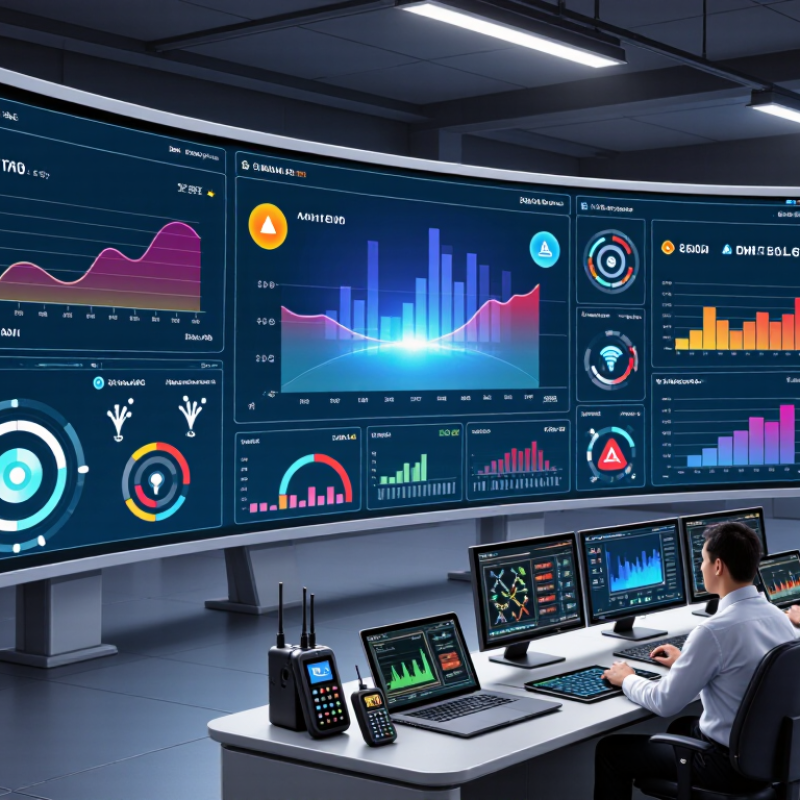
Effective business monitoring tools turn scattered device signals into clear, timely decisions. Look for continuous readings, configurable alerts, and a dashboard that shows device status, location, and recent history. A temperature sensor in a stockroom, for example, should flag a rising reading before goods are damaged. Alerts should identify the affected device and suggest a practical next step. Noise is costly.

Reliability matters as much as coverage. Uptime Institute’s 2024 outage analysis found that 55% of surveyed organizations had experienced a significant outage within three years. Monitoring tools should therefore include backup connectivity, clear offline warnings, and records that remain available after a connection drops. Check how often readings update, and test alert delivery during real shifts. A green dashboard can still hide a missed signal.

Security and usability deserve equal attention. The 2024 Cost of a Data Breach study reported a global average breach cost of $4.88 million. Use role-based access, encrypted data transfer, and retention controls suited to business needs. Also check whether devices integrate with existing systems without expensive custom work. No dashboard is perfect. Staff need simple labels, not another screen full of unexplained numbers. Review alert accuracy monthly; a few false alarms can teach people to ignore the next one.

10 Best Remote Monitoring Devices for Businesses? — Key Features That Define Effective Business Monitoring Tools
Rank Device Type What It Monitors Key Features Typical Connectivity Best Business Use
1 Environmental temperature and humidity sensor Air temperature and relative humidity Configurable thresholds, time-stamped readings, and alerts for conditions that may affect stock, equipment, or work areas Wi-Fi, Ethernet, or a low-power wireless network, depending on the system Storage rooms, server rooms, laboratories, and temperature-sensitive inventory areas
2 Water-leak detector Water at a specific point or along a sensing cable Spot or rope-style detection, leak alerts, and placement near plumbing, pumps, or floor-level equipment Wi-Fi, Ethernet gateway, or low-power wireless network Facilities where leaks could damage equipment, inventory, or building infrastructure
3 Power and energy monitor Electrical current, voltage, power, or energy use, depending on the meter Trend reporting, circuit-level monitoring on compatible installations, and alerts for unusual readings Ethernet, Wi-Fi, or an industrial communications interface Tracking energy use and identifying unexpected changes in electrical loads
4 Uninterruptible power supply (UPS) network monitor UPS status, load, battery condition, and power events Remote status checks, outage notifications, and support for orderly shutdown workflows when configured Usually Ethernet using a supported network-management interface Server rooms, network closets, and sites that depend on backup power
5 Network monitoring probe Network availability, response time, packet loss, and selected service checks Continuous tests, outage alerts, and visibility into connectivity from the monitored location Ethernet or Wi-Fi; some deployments use cellular as a separate backup connection Branch offices, retail sites, and other locations where reliable connectivity is essential
6 Remote video surveillance camera Video of designated indoor or outdoor areas Live viewing, motion-triggered recording or alerts, and optional night vision; capabilities depend on the camera and recording system Ethernet, Wi-Fi, or cellular models Entrances, loading areas, shared workspaces, and remote facilities
7 Door access and status monitor Door open or closed state and access events when integrated with a compatible access system Event logs, door-held-open alerts, and remote status visibility Typically wired Ethernet or a connected access-control panel Offices, storage areas, and restricted rooms that need access oversight
8 GPS asset tracker Approximate location and movement of vehicles or mobile assets Location updates, geofence notifications, and movement history; update frequency and accuracy vary by conditions and device GNSS positioning with cellular or another supported wide-area network Fleet operations, equipment tracking, and assets moving between sites
9 Industrial vibration sensor Machine vibration and, on some models, temperature Trend monitoring and threshold alerts that can help flag changes requiring maintenance review Wired industrial network or wireless gateway, depending on installation Motors, pumps, fans, and other rotating equipment in operational facilities
10 Indoor air-quality monitor Selected readings such as carbon dioxide, particulate matter, volatile organic compounds, temperature, or humidity Live readings, historical trends, and configurable alerts; available measurements vary by sensor Wi-Fi, Ethernet, or a building-management gateway Workplaces, meeting rooms, and facilities teams reviewing indoor conditions

Selection note: The ranking is a practical guide by common business monitoring need, not a product test. Measurement ranges, accuracy, alert options, and connectivity vary by device model and installation.

Ten Remote Monitoring Devices for Different Business Needs

Remote monitoring should match the risks a business actually faces. Temperature and humidity sensors suit stockrooms, server closets, and food storage areas. A sudden rise can flag a failing cooling unit before goods spoil. Water-leak detectors placed under sinks or near pumps can catch small drips early. Air-quality monitors track ventilation changes in busy rooms. Energy meters reveal unusual power use after closing time. Vibration sensors on motors and pumps can signal wear before equipment stops. Small details matter.

Other needs call for different tools. Security cameras provide visual checks at entrances and loading bays, while door-contact sensors record unexpected openings. GPS asset trackers help locate mobile equipment across job sites. Network-monitoring appliances watch connection health and alert staff to outages. UPS monitoring modules report battery condition and remaining backup time. Alerts need clear owners. Too many can be ignored. I would not pretend one setup fits every site; a small office may need only leak and network alerts, while a warehouse may need several sensor types. Test each device in its actual location, since concrete walls, weak Wi-Fi, and noisy machinery can affect readings. Keep a simple record of alert thresholds, response steps, and maintenance dates. No device is perfect. Check the data against what staff observe on site.

How to Compare Devices by Accuracy, Compatibility, and Cost

Accuracy should match the job, not just the specification sheet. For temperature sensors, compare readings against a calibrated reference in the actual room, including near doors or vents. Ask how often recalibration is needed and whether the device flags missing or implausible readings. A tiny lab error can become a costly blind spot. Check the test conditions; vendors may not describe them clearly.

Compatibility means more than connecting to Wi-Fi. Confirm support for your existing network, data formats, dashboards, and alert workflow. IoT Analytics reported 16.6 billion connected IoT devices worldwide in 2023 and forecast 18.8 billion for 2024, making integration a practical concern. Deloitte and MAPI’s 2019 Smart Factory Study found 86% of manufacturers expected smart-factory initiatives to drive competitiveness within five years. Compare the full cost: purchase, installation, subscriptions, calibration, and staff time. A low upfront price can hide recurring fees. I’d still leave room for a pilot; paper comparisons miss messy sites. Run two or three devices for a month, then compare false alerts, data gaps, and maintenance effort before committing.

10 Remote Monitoring Device Types for Businesses

Estimated typical upfront device cost (USD), compared across common business monitoring use cases. Prices vary by model, features, and quantity.

How to compare: Check the manufacturer’s stated accuracy and calibration requirements for the measurement you need. Confirm compatibility with your existing systems and required protocols, such as Wi-Fi, Ethernet, BLE, LoRaWAN, Modbus, MQTT, SNMP, or ONVIF. The cost ranges shown are indicative estimates, not brand-specific quotes.

Security and Maintenance Practices for Remote Monitoring Systems

Remote monitoring devices are only as dependable as the systems protecting them. Place cameras, sensors, and gateways on a separate network from everyday office computers. Use unique passwords and multifactor authentication, and give each worker access only to the functions their role requires. Keep access narrow. Encrypt data during transmission and storage, where the equipment supports it. Review account activity regularly; an unfamiliar login at 2 a.m. deserves investigation, not an automatic assumption of trouble.

Maintenance needs a schedule, not guesswork. Check for firmware updates monthly, and test them on one device before wider installation. Inspect sensor readings against a trusted reference, since a temperature sensor can drift while still appearing online. Replace batteries before their expected end date, and confirm that alerts reach the right person after hours. Small checks matter. Keep a record of outages, repairs, and configuration changes so recurring faults are easier to spot. Set a retention period for monitoring data, then remove information that no longer serves a clear operational purpose. No checklist catches everything; even a carefully maintained device may fail without warning. Regular drills can reveal gaps, though teams sometimes discover that their written response plan is less practical than they thought.